How Many Hashtags Should I Use on Instagram?
How many hashtags should I use on Instagram? Up to five per post under Instagram's current rule, with three as my practical starting point. I'd decide which tags earn a place before deciding how many to use, then check where those tags lead.
TB Tomas Brandt, Analytics writer · Updated Oct 6, 2026 · 7 min read
Short answer
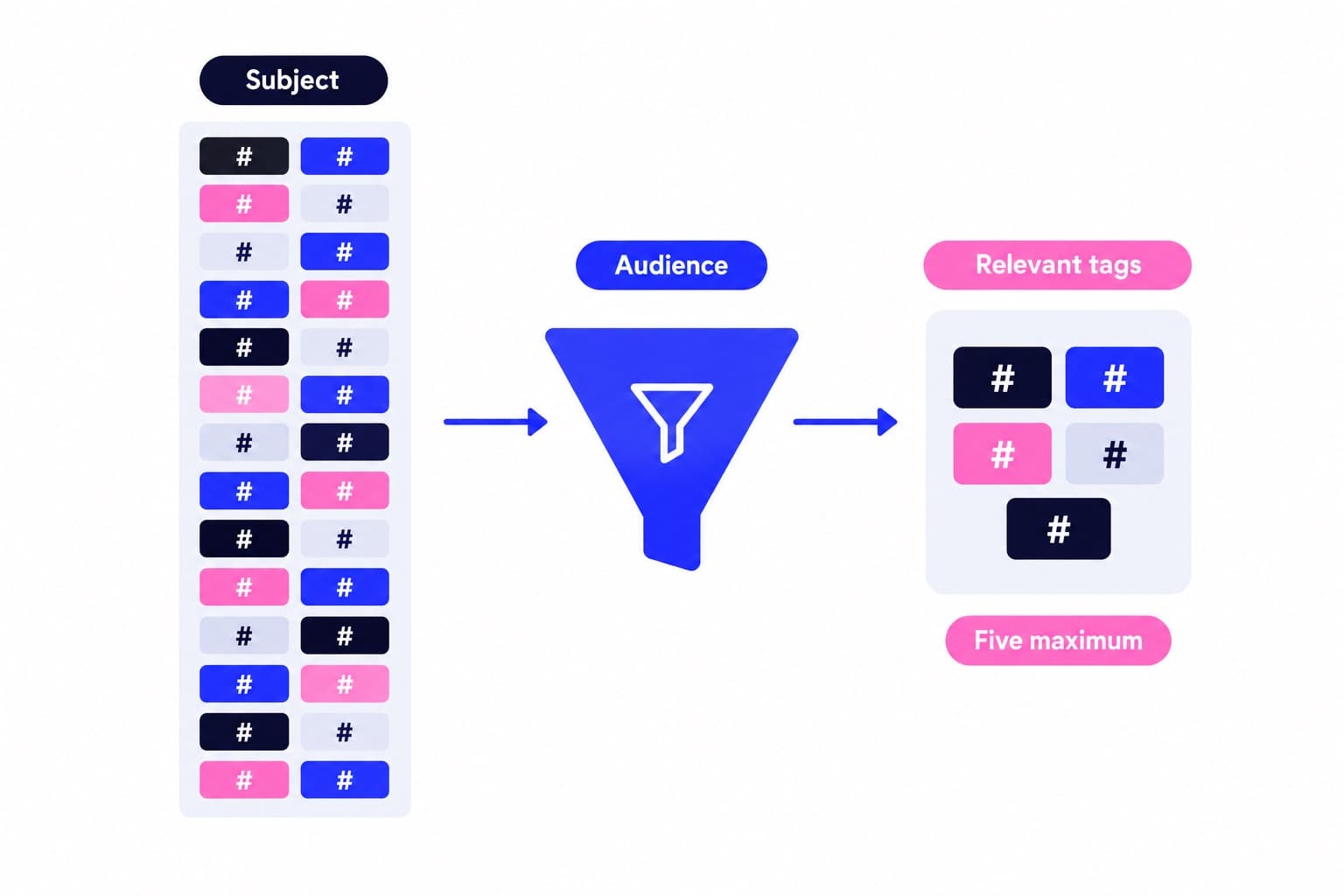
Use up to five relevant hashtags per Instagram post, including Reels. Start with three, adding a fourth or fifth only when each adds useful context. Instagram’s current Help Center caps hashtags at five and allows them in captions or comments.
Build a tag set around what the post actually shows
Write the caption before picking hashtags. Then underline the subject, the relevant niche, and any location or community connection. Those are your candidates, not compulsory categories to fill.
Say you run a bicycle workshop in Seattle and publish a Reel showing a touring wheel being rebuilt. The work is wheel building, the bike category is touring, and the local audience is Seattle cyclists. Three tags can describe those three connections cleanly.
A fourth tag, such as #BicycleRepair, could add the service category. I'd include it when the caption explains the repair service, rather than inserting it automatically into every workshop post. A fifth slot can stay empty.
I'd skip a universal copy-and-paste block. Here's why: a wheel-building demonstration, a notice about winter opening hours, and photos from a weekend ride describe different things. Reusing the same list saves a few seconds but makes the selection less deliberate.
A useful test is to finish this sentence: "This tag belongs because the post shows or discusses ___." If your answer is simply that the tag is popular, look for a clearer candidate.
| Candidate | Selection reason |
|---|---|
| #WheelBuilding | Names the work being shown |
| #TouringBike | Identifies the bike category |
| #SeattleCycling | Connects the local community |
| #TravelPhotography | Describes a different subject |
| #FollowMe | Asks for action, not context |
How is your account doing?
Enter a username. The free scan reads your public numbers and compares them with accounts your size. No login.
Check hashtag pages before you copy the list
A tag can look right in a caption and lead to a different conversation. I check unfamiliar candidates before publishing, especially abbreviations, local nicknames, and words used by several industries.
Instagram's documented desktop search flow gives you a simple way to do that. You can also click a hashtag on an existing post to open its page.
For the workshop example, inspect whether the results around a candidate feature bicycle wheels, touring bikes, or the intended local cycling community. If a term mostly leads to car repairs or an unrelated trend, choose a more precise label.
Use Ganicly's free Instagram hashtag checker to review your shortlisted tags alongside that page check. Keep a reusable candidate list organized by subject, then select from it for each post instead of pasting the whole list.
- On desktop, click Search on the left, then click Search in the top left.
- Type the candidate hashtag and click the matching hashtag in the results.
- Look at the visible photos and videos on its page.
- Keep the candidate when its topic and community fit your post.
What affects your position in hashtag search results?
Instagram identifies several factors that may determine the order of posts in hashtag search results. Its official guidance names the three below; it doesn't present hashtag count as a ranking score.
That changes how I'd evaluate a tag set. First, check whether the labels describe the content. Then look at how people respond to the post itself.
For the bicycle workshop, useful responses might include a question about spoke replacement, a request for a repair appointment, or a comment from a local rider. Those tell you more about audience fit than whether you filled the fifth slot.
Keep a simple publishing log: date, subject, format, chosen tags, and the responses you care about. Compare wheel-building posts with other wheel-building posts, rather than comparing a repair demonstration with a holiday-hours announcement.
If you want to compare three tags with five, keep the additional two closely related and use similar subjects and formats. Treat that comparison as a directional check, not proof that one tag caused the difference. It gives you a more useful decision than changing the caption, video style, subject, and tag count together.
- When the post was shared.
- How others engage with the post.
- Whether the content meets Instagram's Recommendation Guidelines.
Check the count when a hashtag comment won't post
Start by counting the tags. Instagram explicitly says that if you include more than five tags on a single photo or video, your comment won't post. Remove the extras before retrying.
Next, check the spelling and formatting of the remaining tags. A space breaks the intended label, while $ and % aren't supported hashtag characters.
You can tag your own posts. Also, Instagram's public hashtag-page visibility applies to public accounts: posts from private profiles don't appear publicly on those pages. Those are useful checks when the tag publishes but the visibility isn't what you expected.
Make the profile match the topic that brought someone there
The hashtag labels the post; your profile explains what someone should do next.
For the hypothetical Seattle workshop, I'd make the location, repair services, and appointment route easy to find. A rider arriving from #SeattleCycling should quickly understand whether the shop serves them. Recent posts showing the work provide a stronger continuation than a bio that says only "bikes and good vibes."
Use Ganicly's free profile scan to review your profile as the destination for that attention. Then make the caption's next step specific: ask for a repair question, point to booking details, or invite people to see another relevant demonstration.
For the next wheel-building post, the decision is concrete: choose the accurate tags, keep the set within five, and give the interested rider somewhere useful to go.
Pick a pace
Questions
What is the 3 hashtag rule?
The three-hashtag rule is a selection guideline, not Instagram's official posting limit. It means choosing a small set of relevant tags instead of a long list. Instagram currently allows up to five tags per post. Three is a sensible starting point when those tags clearly describe the subject, niche, and relevant community.
Is 7 hashtags too many?
Yes, seven hashtags exceeds Instagram's current maximum of five per post. Its Help Center also says a comment won't post if you include more than five tags on a single photo or video. Reduce the set to your strongest matches rather than splitting seven tags between the caption and a comment.
Are hashtags still relevant in 2026?
Yes, hashtags still connect public posts with corresponding hashtag pages in 2026. Instagram's official guidance, describes that function and sets a five-tag maximum. Use them to label a specific subject or community. Posting time, engagement, and recommendation eligibility also help determine the order of hashtag search results.
Should I put Instagram hashtags in the caption or comments?
Either placement is supported by Instagram's official guidance. I'd put them in the caption because that keeps the text and tag selection together during editing. A comment is also an option when it suits your presentation. Choose one set of up to five tags for the post, then decide where it reads best.
How many hashtags should I use on Instagram Reels?
Keep a Reel within five hashtags, the current per-post maximum. Instagram's Help Center describes the restriction for posts and refers specifically to a single photo or video. I'd choose three accurate tags first, then add a fourth or fifth when each contributes a useful description of the video's subject, audience, or location.
Do I need to use all five Instagram hashtags?
No, five is the maximum, not a required count. Use fewer when the extra tags would repeat the same meaning or introduce an unrelated topic. A post with three clear labels is easier to review than a five-tag set padded with generic terms. Decide what each tag contributes before adding it.